A subtitle editor for Mac that finishes captions, not just transcripts
Subtitle creator workflows need readable cue lengths, timing you can nudge, and an export your NLE or social app will accept — not a wall of unedited speech-to-text.
Free to try · Lifetime license $69 · Also on Windows
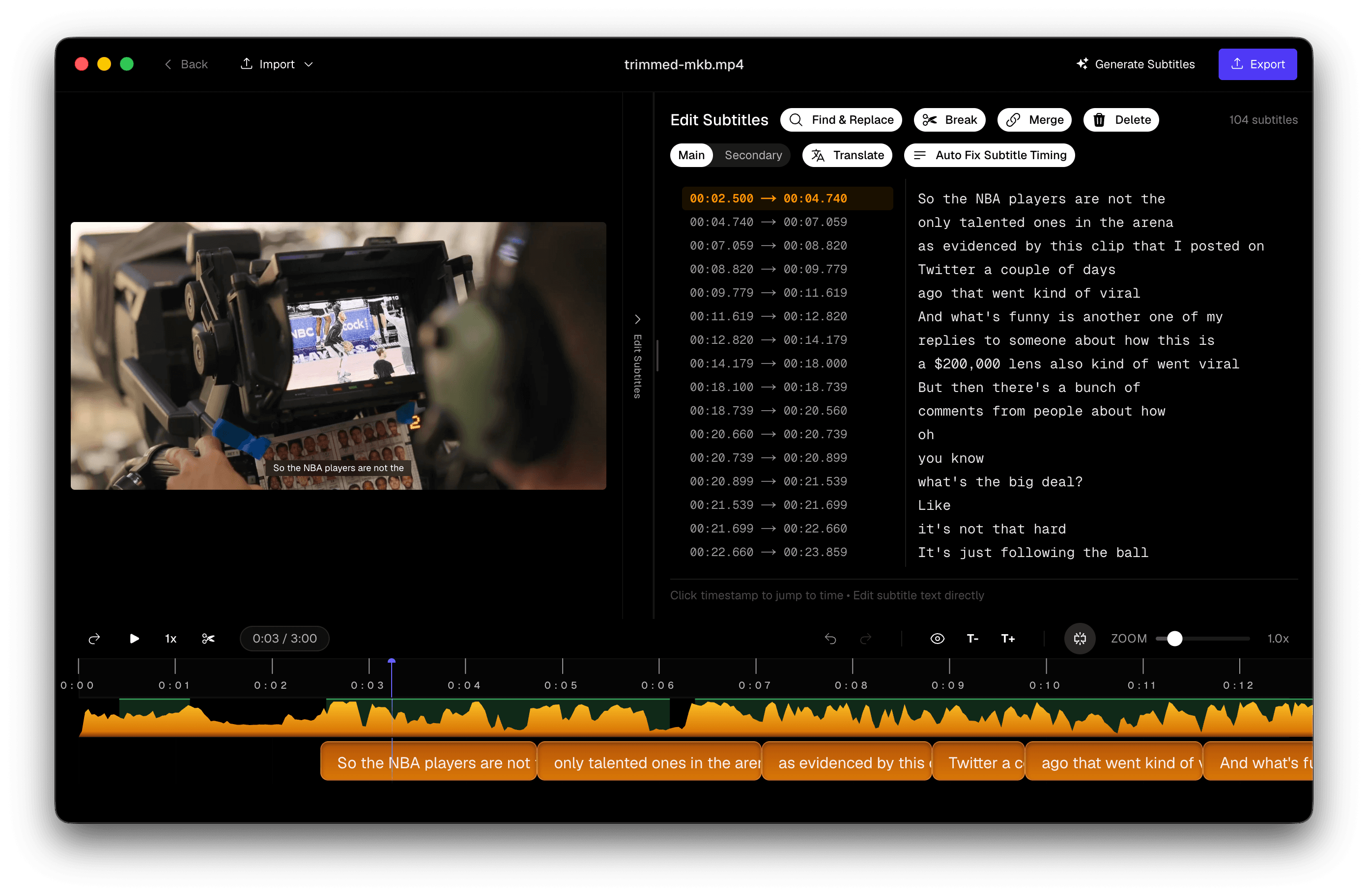
Searching best subtitle editor for Mac or subtitle creator Mac usually means you already know transcription exists — you need a tool that turns rough speech-to-text into publish-ready captions.
Subtitle Studio is built for that second half: a waveform timeline, cue-aware editing, and exports that drop into the apps you already use. Generation stays offline and private on your Mac — and Subtitle Studio is now available for Windows too.
Built for captions, not a notepad of speech
A transcript dump is not a subtitle track. Viewers need short lines, sensible reading time, and timing that survives hard cuts. The editor is where that work happens:
- Waveform + video preview — drag cues to the audio, not guess from a text box
- Split and merge — fix runaway lines without retyping the whole take
- Cue list — scan every line, fix names and numbers before anyone else sees them
- On-picture preview — check contrast and safe areas before you burn in
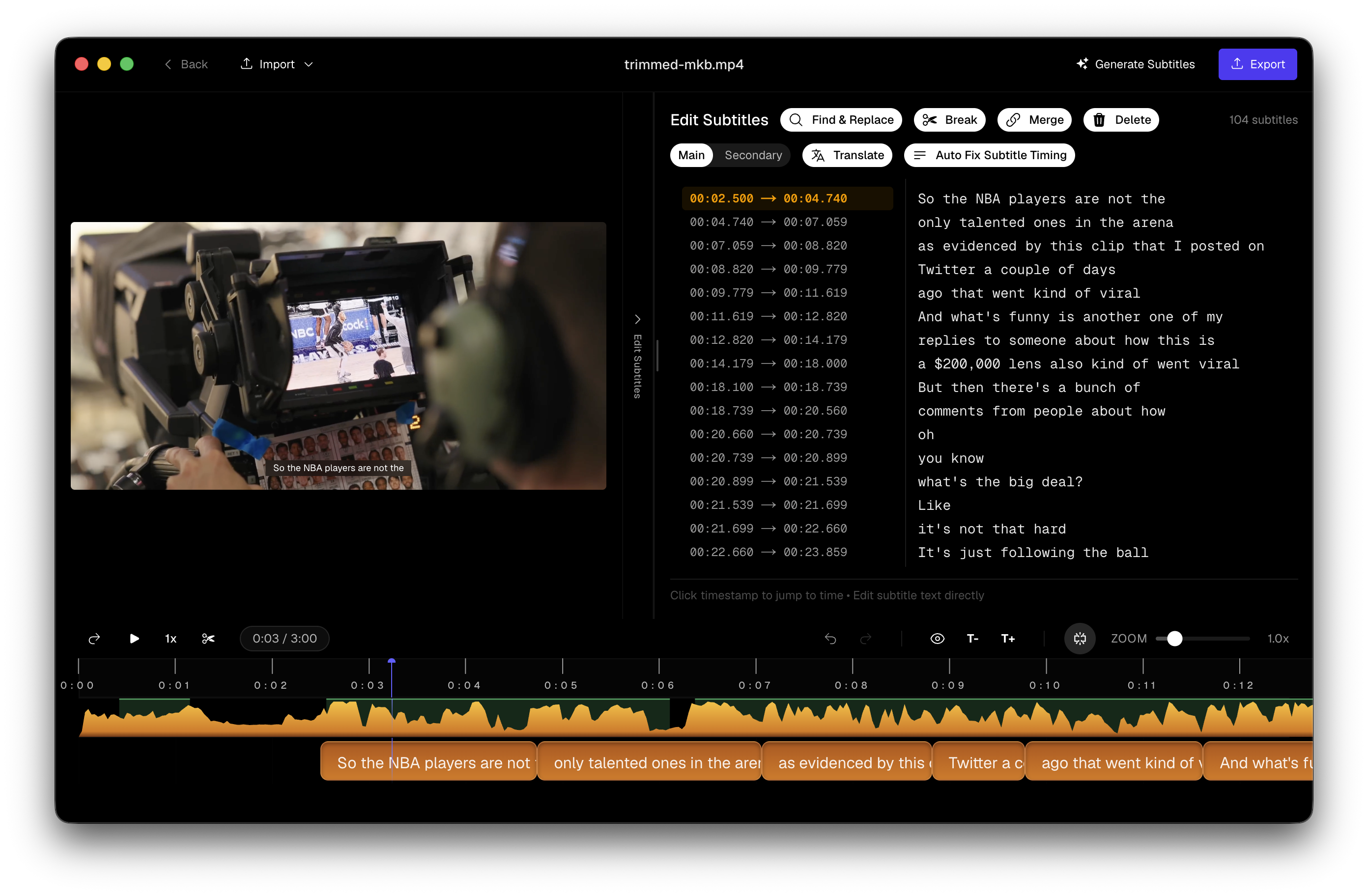 Subtitle Studio cue editor with waveform, subtitle list, and video preview
From import to finished captions
- Drop in MP4, MOV, or other supported video.
- Generate with on-device Whisper-class models (no Terminal required).
- Edit timings and line length in the subtitle editor.
- Export SRT, Final Cut titles, or a burned-in MP4.
You can also import an existing SRT (for example from MacWhisper) and finish the subtitle half here — see the MacWhisper alternative page if that is your starting point.
Where your captions go next
| Destination | Typical export |
|---|---|
| Premiere, CapCut, most web players | SRT |
| DaVinci Resolve (including free) | SRT → subtitle track |
| Final Cut Pro | SRT or native title layer |
| Instagram / TikTok / venue loops | Burn-in MP4 |
Keep soft SRT when the platform accepts it. Burn in when it will not.
Why Mac creators pick a dedicated editor
NLEs can hold caption tracks, but editing hundreds of tiny clips on a timeline is slow. Cloud subtitle creators add upload time and subscriptions. A Mac subtitle editor that runs locally keeps unreleased media private and puts the precision tools in one place — then you hand the NLE a clean file.
Pricing matches that model: download free to transcribe and edit; unlock export with a $69 one-time lifetime license. No monthly meter.
Questions & Answers
What makes a good subtitle editor for Mac?
You need a cue list you can scan, timing you can drag against audio, split/merge for reading speed, preview on picture, and exports that match the job — SRT for NLEs, burn-in for social, Final Cut titles when you stay in FCP.
Is this a subtitle creator or only a transcript tool?
Both. Subtitle Studio generates captions with on-device Whisper-class AI, then you finish them in a dedicated editor — line length, timing, dual-language layout — before export.
Do I need the internet to edit?
No. After the app and models are downloaded, transcription and editing run offline. Media is not uploaded for captioning.
What can I export?
SRT for Premiere, DaVinci Resolve, CapCut, and most players; native Final Cut title layers; burned-in MP4 for platforms that ignore sidecars. Transcription and editing are free to try; export unlocks with a $69 lifetime license.
Intel Mac or Windows?
On Mac, the shipping build targets Apple Silicon (M1+) on macOS 12+; Intel Macs aren't supported. Windows is supported: Windows 10/11 (64-bit), with optional NVIDIA GPU acceleration. One $69 lifetime license works on both.