
Burning subtitles into a video on your Mac
Hardcoded captions for platforms that ignore SRT files. Fix cues first, then export an MP4 with subtitles baked into the frames.
Burn-in export unlocks with Lifetime License
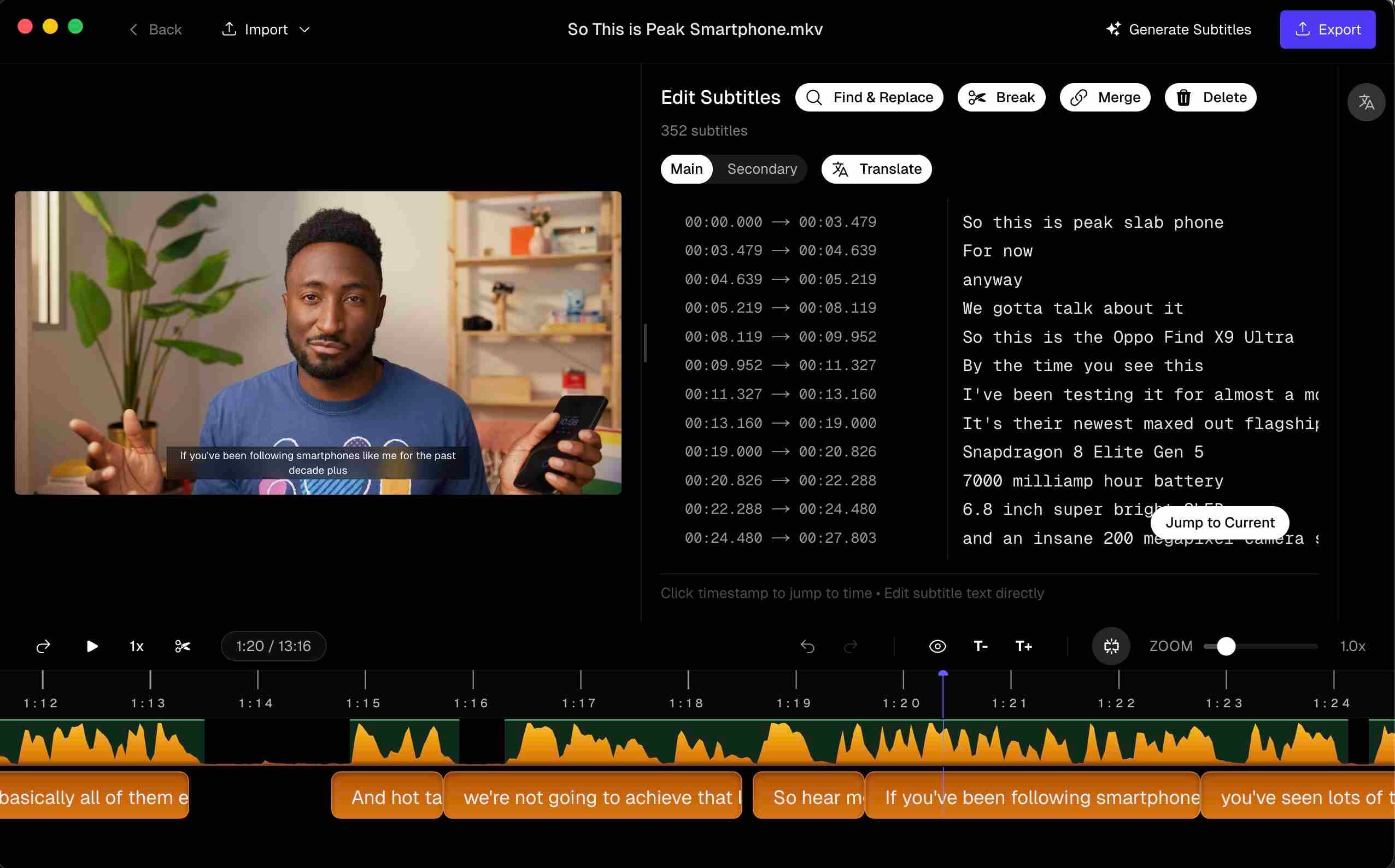
Burning subtitles into a video means the text becomes part of the picture. Players can’t toggle it; but social apps that never ask for an SRT will finally show your captions.
This page is only about that output problem — not a general product tour.
Hardcode vs softcode
| Softcode (SRT) | Hardcode (burn-in) | |
|---|---|---|
| Viewer toggle | Yes | No |
| Easy text revisions | Re-upload SRT | Re-export video |
| Typical homes | YouTube, Vimeo, packages | TikTok, IG, venue screens |
| Accessibility | Better when soft subs exist | Still helps when soft subs are impossible |
Ship both when you can: SRT for platforms that accept it, burned master for those that don’t.
Styling that survives a phone screen
Before you burn:
- Keep cues to roughly two lines
- Outline or shadow so white text survives bright B-roll
- Avoid covering faces — especially on 9:16
- Proof names and numbers; burned typos live forever in the MP4
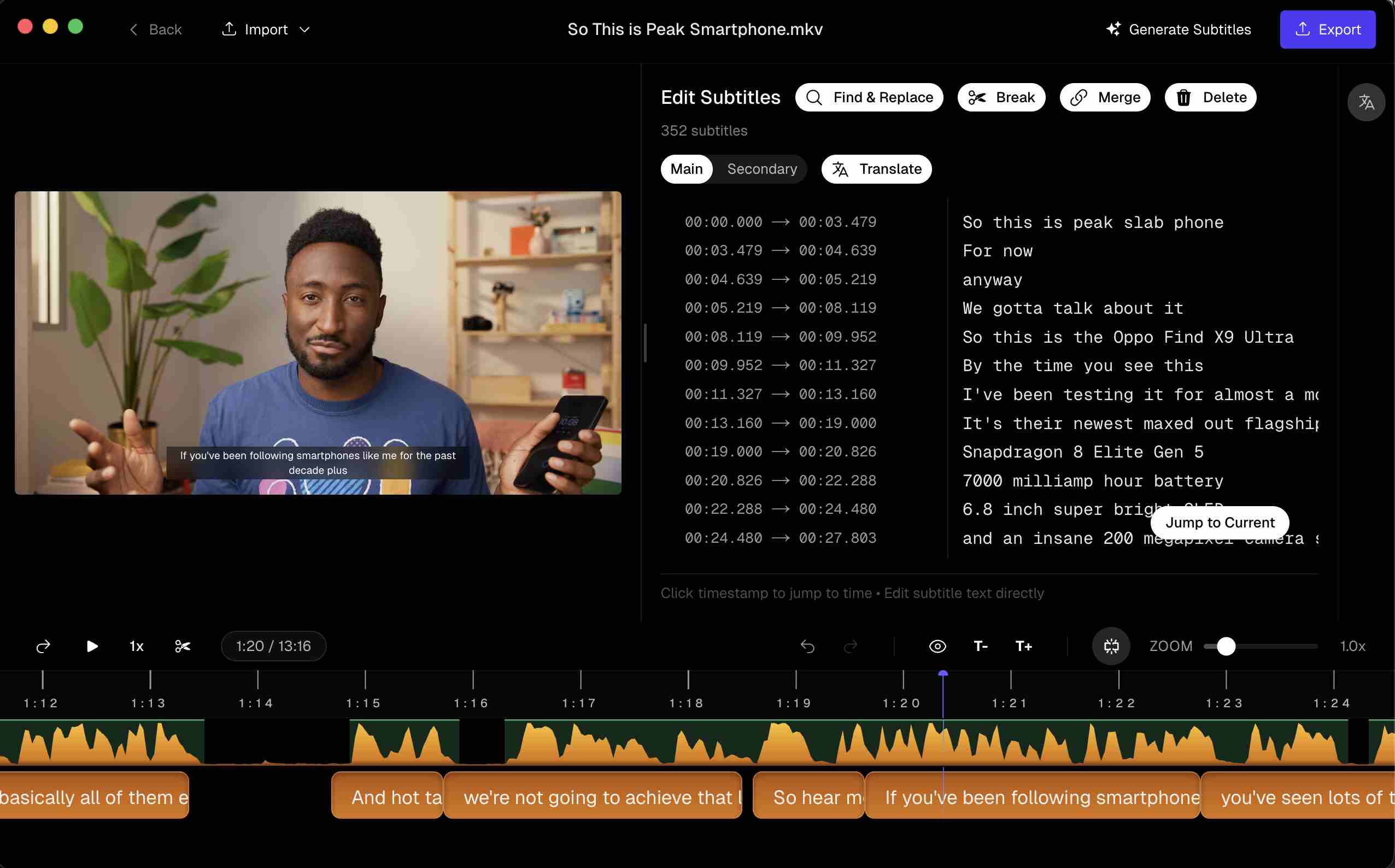 Preview burned-in captions on the video frame before you export
ffmpeg when you already have a perfect SRT
ffmpeg -i input.mp4 -vf subtitles=cues.srt -c:a copy output.mp4
The failure mode is familiar: timings were wrong, you notice after a long encode, you start over. Preview-on-picture, then burn, collapses that loop.
Questions & Answers
Hardcode vs softcode — what’s the difference?
Softcode keeps captions in a separate file (SRT) — viewers can toggle them. Hardcode draws pixels into the frames — required when the platform has no caption track.
When should I burn in?
Instagram, TikTok, many Reels/Stories exports, trade-show loops, and players that won’t load an SRT. Prefer sidecar SRT for YouTube/Vimeo when soft subs are accepted.
Will burn-in ruin quality?
Any re-encode can soften detail if you crush bitrate. Export with a destination-appropriate preset; don’t run a social vertical through five generations of recompression.
Can I use ffmpeg instead?
Yes — `ffmpeg -i in.mp4 -vf subtitles=cues.srt -c:a copy out.mp4` works if timings are already perfect. An app that previews cues on picture collapses the fix→re-encode loop.
Does burn-in require a license?
Transcription and editing are free to try. Burn-in export unlocks with the $69 lifetime license, same as SRT export.
Is there a Windows version?
Yes. Subtitle Studio runs on Apple Silicon Macs (macOS 12+) and on Windows 10/11 (64-bit), where an NVIDIA GPU is optional and speeds up processing. One $69 lifetime license works on both.