
Adding subtitles in Final Cut Pro without typing them by hand
Typed captions, Apple’s built-in Transcribe to Captions, or an offline SRT — plus which format (CEA-608, iTT, SRT) your delivery actually needs.
Generate offline · Import into FCP
Searching “Final Cut Pro subtitles” usually means you want a workflow, not a feature tour. Here are the three real paths inside FCP — and how to pick caption formats so delivery doesn’t bounce.
The three ways to caption in Final Cut Pro
1. Type captions by hand
Create a caption role and enter every line. Free and precise — and slow past a trailer length.
2. Built-in Transcribe to Captions
On Apple Silicon + current macOS (Sequoia or later): select clips → Edit → Captions → Transcribe to Captions (or Shift-Command-C). English-focused today. First run downloads a language model. Editing still happens as tiny caption clips on the timeline.
3. External SRT / FCP titles, then import
Generate and proof cues in a dedicated subtitle app on your Mac, then bring them into FCP. Fastest for long-form, multilingual, or client work — and keeps unfinished media off cloud caption services.
CEA-608, iTT, or SRT?
| Format | What it is | When to use it |
|---|---|---|
| SRT | Plain timed text | YouTube, web players, interchange |
| iTT | XML timed text with styling | Apple TV / iTunes-style packages |
| CEA-608 | Broadcast caption rules | Specs that explicitly require 608 |
Rule of thumb: ask the platform first. Online social and most YouTube uploads → SRT. Apple ecosystem packages → expect iTT. Broadcast → often CEA-608 (or convert from your master). Subtitle Studio exports SRT and can hand Final Cut a native title layer so you style inside FCP.
Step-by-step: SRT into your FCP timeline
- Picture-lock the edit (or export a matching reference movie).
- Generate captions offline — drop the cut into Subtitle Studio, proof on the waveform.
- Export SRT, or Final Cut titles for native title objects.
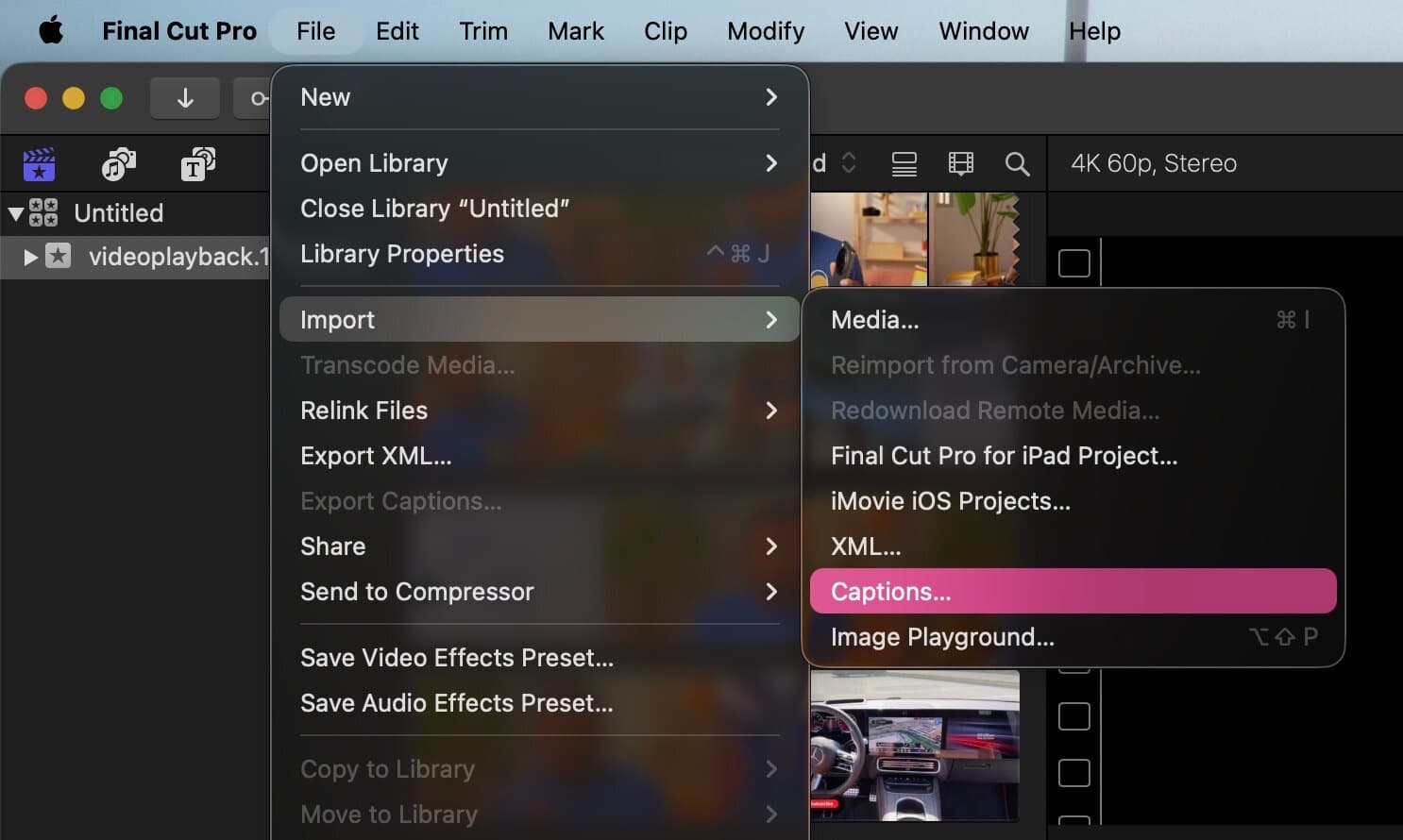
- In FCP: File → Import → Captions (sidecar), or import the title export.
- Assign the caption role, confirm the lane is visible, spot-check sync.
- On share: soft subs vs burn-in depending on the destination.
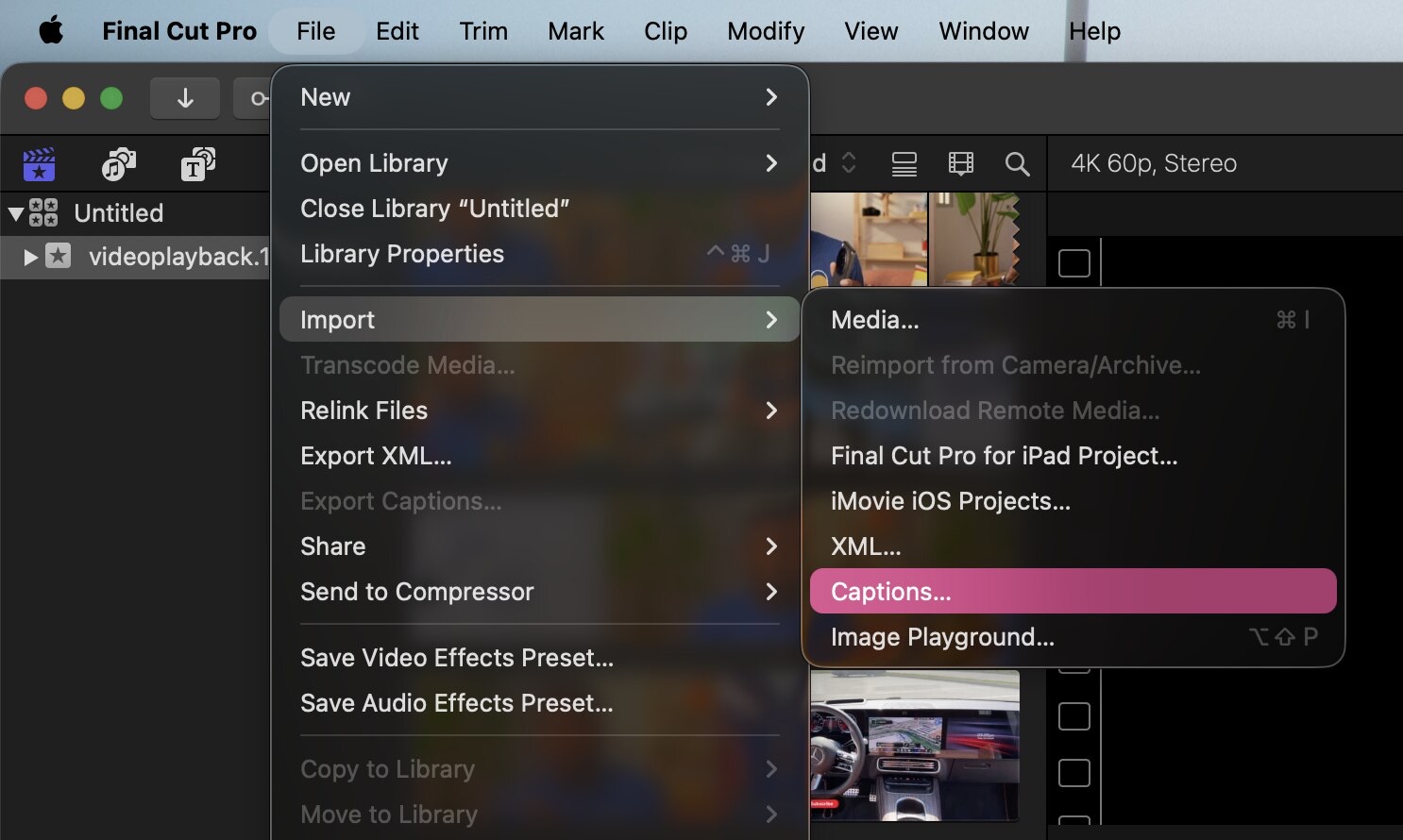 Final Cut Pro File → Import → Captions for bringing an SRT into the timeline
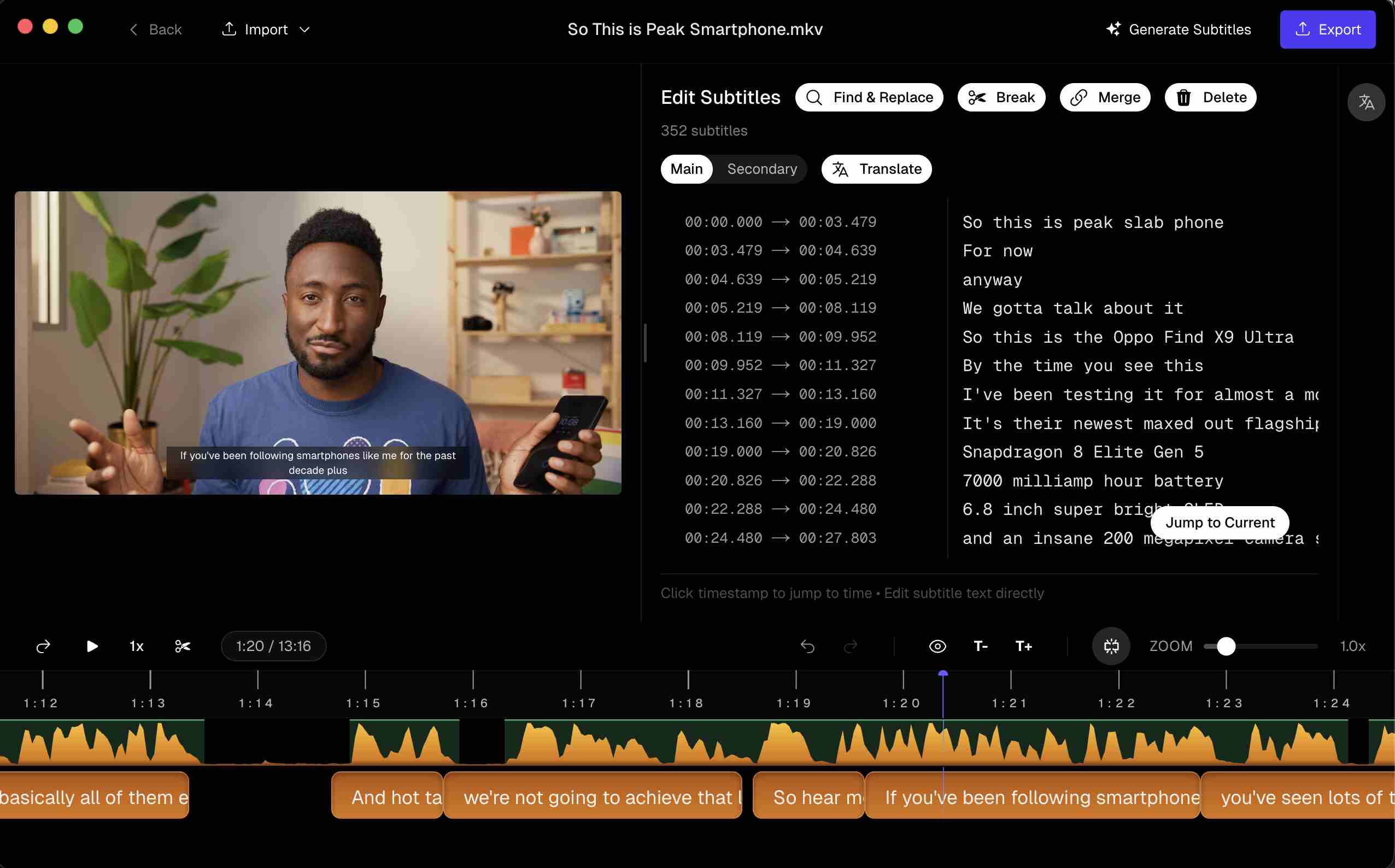 Subtitle Studio with timed cues ready to export for Final Cut
Common FCP caption problems
- Drift — frame rate mismatch or captions from an older cut
- Lines too long — split cues before import; FCP won’t fix reading speed
- CJK fonts missing glyphs — set a caption font with Chinese coverage in Inspector
- Imported but invisible — caption role disabled in the timeline or Roles tab on export
Questions & Answers
Does Final Cut Pro generate captions automatically?
Yes, on Apple Silicon with a recent macOS (Sequoia or later for Transcribe to Captions). Use Edit → Captions → Transcribe to Captions (Shift-Command-C). It targets English audio and downloads a language model on first use.
What's the difference between SRT and iTT in FCP?
SRT is simple timed text for YouTube and most NLEs. iTT is XML-based with richer styling and multi-language support — common for Apple/TV packages. CEA-608 is broadcast-style with strict character limits. Ask your distributor first.
Why are my imported captions out of sync?
Usually the SRT was generated against a different cut or frame rate. Re-export from picture lock, match project frame rate to media, and check the caption role isn’t slipped on the timeline.
Can I burn subtitles into the exported video?
Include the caption role on export and choose burn-in when your share preset supports it — or burn in Subtitle Studio and bring a flattened MP4 into FCP for social.
How do I change subtitle font in FCP?
Select a caption clip → Inspector → Caption for font, size, colour, and position. Native Final Cut title exports from Subtitle Studio arrive as editable title objects.