Generate subtitles offline, with nothing leaving your machine
What “offline” and “local AI” actually mean for captions — who needs private processing, and the hidden cost of uploading masters to a browser tool.
Models download once · Then work offline
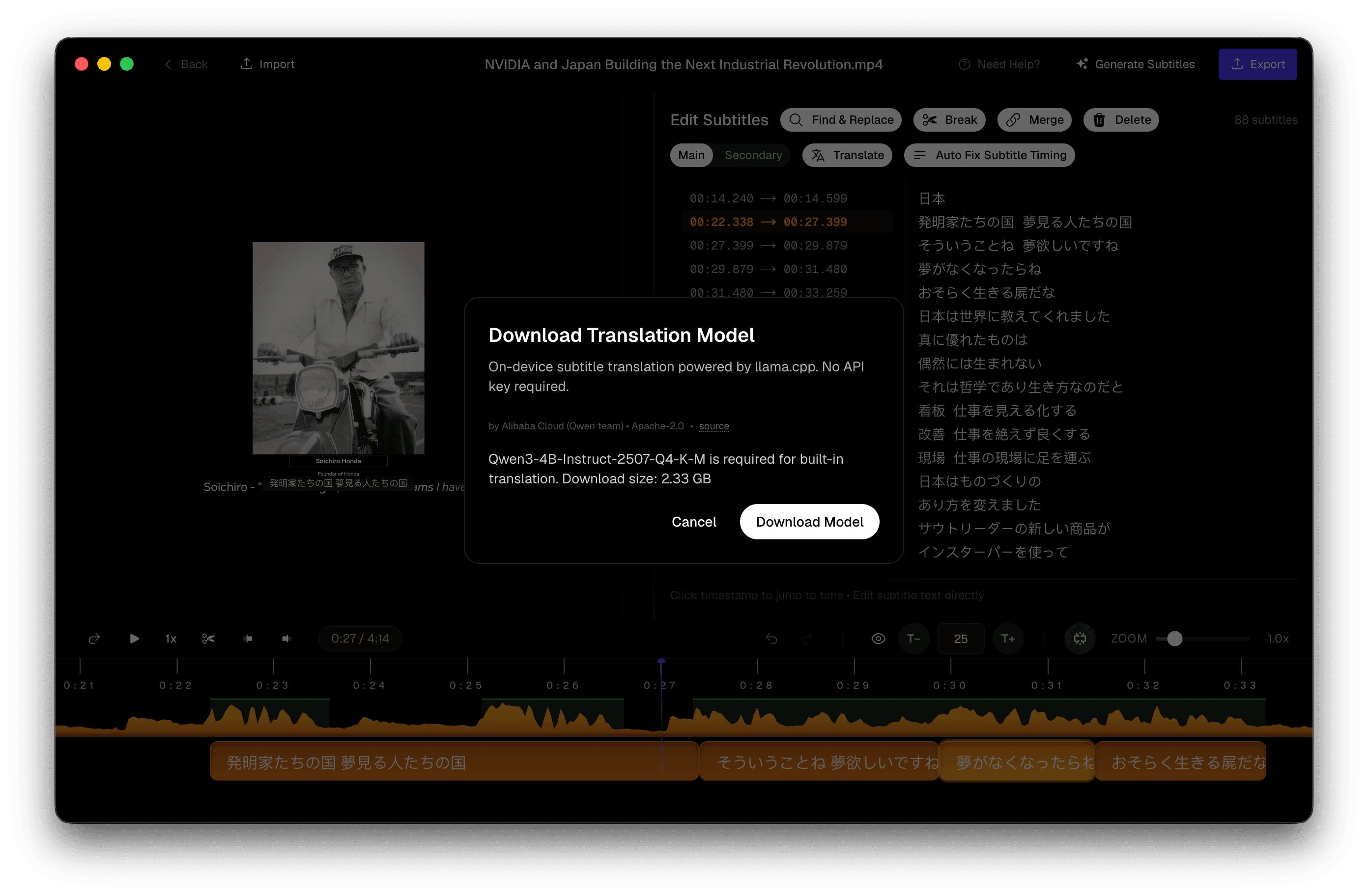
Cloud subtitle tools ask you to upload the master. Fine for a public YouTube rip. A non-starter for an unreleased campaign film, a deposition, or a 4GB interview on an edit drive.
This page is the privacy / offline hub — not another tour of the whole product. For model sizes and CLI comparisons, see Whisper on Mac. For cue editing and burn-in, see the Mac subtitle editor and burn-in guide.
What “offline” actually means
Two things get marketed as offline:
- Local UI, remote API — the window is on your computer; the audio still leaves.
- Download models once, then transcribe with no network — this is the path here.
Connectivity is required to fetch the app and model files. After that you can disconnect. That distinction matters on a plane, a locked-down corporate LAN, or under an NDA that forbids third-party processors.
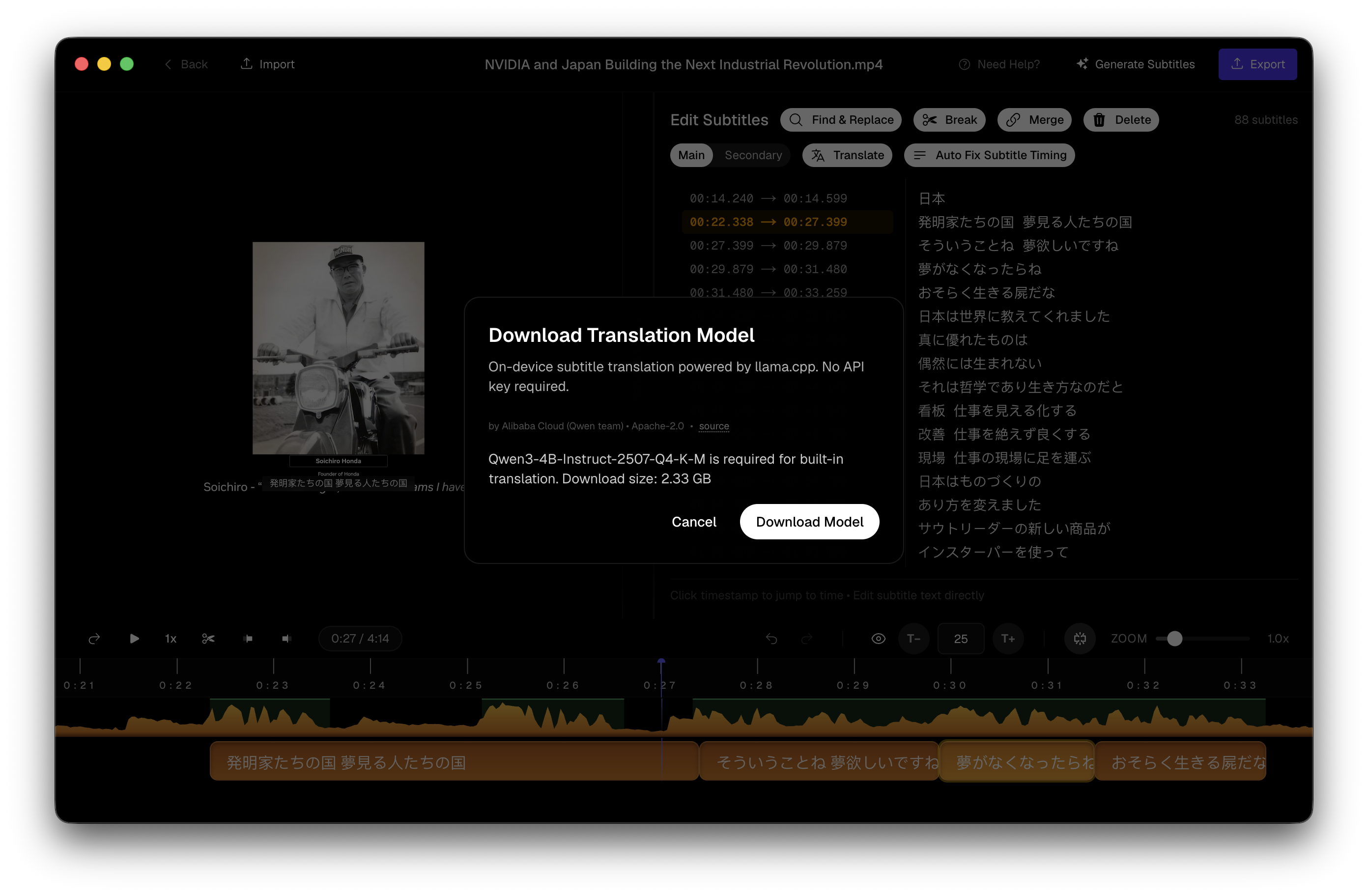 Download an on-device model once — transcription and tools then run locally
What “local AI subtitle generator” means here
A local AI subtitle generator runs speech recognition on your hardware. Subtitle Studio ships Whisper-class models (Large V3 Turbo by default, plus language finetunes). You download a model once into the app; inference happens on Apple Silicon — not on a vendor’s GPU farm.
That is different from a browser tool that wraps a cloud ASR API behind a desktop-looking UI. If the audio leaves for transcription, it is not local AI, regardless of where you click Generate.
After the model is on disk you can caption with Wi‑Fi off. Export SRT for Premiere, DaVinci Resolve, or CapCut; burn in an MP4 for social; or hand Final Cut a native title layer. Editing stays in a dedicated subtitle editor on your Mac.
Local AI vs cloud subtitle tools
Browser-based caption products (Descript, VEED, and similar) are convenient when the file is already public and you accept upload time plus a subscription. They trade privacy and predictability for someone else’s servers.
| Cloud caption tools | Local AI (Subtitle Studio) | |
|---|---|---|
| Where audio goes | Vendor servers | Your Mac or PC |
| After first setup | Needs network for every job | Works offline |
| Billing | Minutes / seats / monthly | Free to try · $69 lifetime |
| File size friction | Upload queues | Disk and RAM only |
| NDA / unreleased media | Often a non-starter | Designed for it |
Cloud tools still win when you need collaborative review in a browser or you are on an Intel Mac. Local AI wins when the master must not leave the machine, the catalogue is huge, or you refuse another SaaS meter.
Private by design
Privacy here is a workflow property, not a slogan:
- No upload path for transcription — media stays on disk
- No account required to download and try the app
- No cloud queue holding your interview overnight
- NDA-friendly for legal, journalism, healthcare training, and agency work before launch
If a compliance questionnaire asks “does audio leave our network?”, the honest answer for captioning is no — once models are downloaded.
Who needs local processing
- Legal & compliance — discovery media that cannot leave the controlled environment
- Journalism — embargoed interviews and source protection
- Healthcare & education — training content with identifiable voices
- Agency / NDA work — ads and product films before launch day
- Heavy files — uploading multi‑GB mezzanines can cost more clock than the transcription itself
The hidden cost of cloud tools
Upload time is real work. Free tiers often stop around ten minutes. Subscriptions meter every month. Retention policies vary — some vendors keep audio unless you dig through settings.
Local processing flips the economics: pay once for the Mac app, store models on your SSD, run overnight batches without babysitting a browser tab. Prefer MacWhisper when the job is meeting notes; stay here when the deliverable is publish-ready captions.
Questions & Answers
Does offline mean I never need internet?
You need internet once to download the app and speech models. After that, transcription and editing run without a network. Media is not uploaded for captioning.
What is a local AI subtitle generator?
A local AI subtitle generator runs speech models on your computer instead of a cloud API. Subtitle Studio downloads Whisper-class models to your Mac or Windows PC once, then transcribes with no upload path — the audio stays on your machine.
Who is local processing for?
Anyone handling unreleased, confidential, or simply huge files — legal, journalism, healthcare training, NDA production, educators, and creators who refuse to wait on uploads.
How is this different from the Whisper page?
This page is about privacy and offline operation. The Whisper page covers models, CLI vs app, and technical setup. Different search intents.
Is there a cloud minute limit?
No cloud meter. You’re bounded by disk space and RAM (8GB min, 16GB recommended), not a free-tier timer. Download free to transcribe and edit; SRT and burn-in export unlock with a $69 lifetime license.
What about translation offline?
Transcription is on-device. Built-in translation also runs on-device via a local Qwen3-4B model (~2.5 GB, 25 languages, Apple Silicon Mac or Windows). You can switch to Ollama or a cloud API you control if you prefer — see the offline translation guide.