Whisper subtitles on Mac without opening Terminal
You want Whisper’s accuracy on Apple Silicon — not a weekend of Python pins, FFmpeg flags, and MPS fallbacks. Here’s the model landscape and the no-code path.
No Python · No Homebrew · Apple Silicon · Also on Windows
OpenAI’s Whisper is a speech recognition model, not a Mac app. The official path assumes Homebrew, a pinned Python, a virtualenv, and FFmpeg. Reasonable for researchers. A poor fit if you only need an SRT tonight.
Model sizes — speed vs accuracy
Exact minutes-per-hour vary by chip and audio density. Treat this as relative guidance.
| Model class | Trade-off | In Subtitle Studio |
|---|---|---|
| Tiny / base / small | Fast, weak on noise & accents | Not the focus for publish-ready subs |
| Medium | Older balanced default | Prefer Turbo or large finetunes |
| Large-v2 / large-v3 (quantized) | Highest accuracy, heavier | Available as quantized downloads |
| Large V3 Turbo | Near large-v3 quality, much faster | Default — up to ~8× vs Large V3 |
| Language finetunes | Best when domain matches | Cantonese, TW Mandarin, Hokkien |
A Turbo pass you actually proofread usually beats a slow giant model you never review.
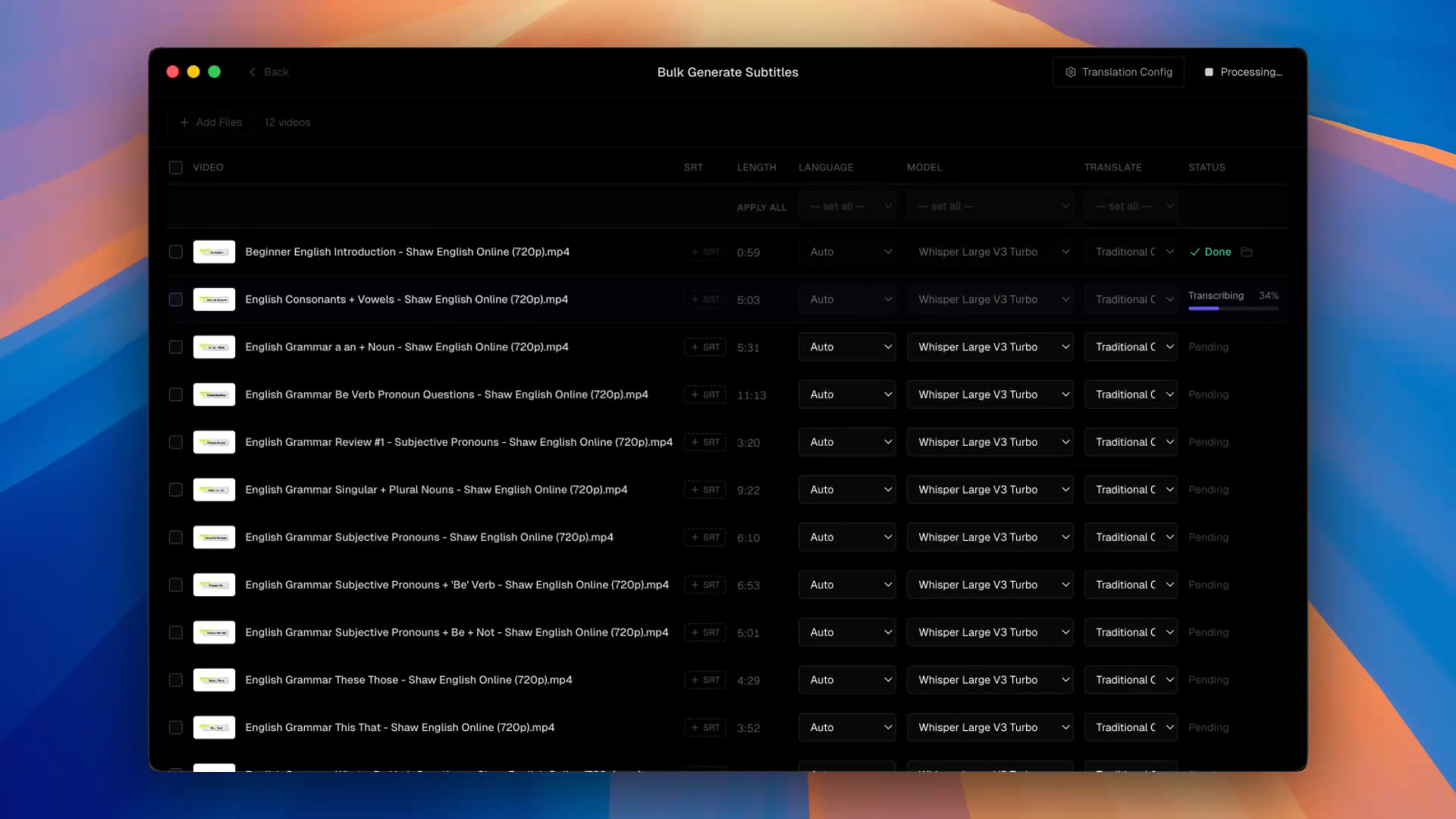 Bulk jobs in Subtitle Studio with Whisper Large V3 Turbo selected as the model
What you avoid vs DIY whisper.cpp / CLI
Building whisper.cpp or mlx-whisper buys scripts and exotic models. You also take compile flags and no subtitle editor.
The app path trades that flexibility for: one-click model download, cue editing, SRT / Final Cut / burn-in export, and a bulk video queue. Research pipeline → keep the CLI. Shipping captions → skip Terminal.
Apple Silicon note
The distributed build targets M1+ on macOS 12.0+. Generic openai-whisper via PyTorch MPS often falls back to CPU on unsupported ops — one reason “I installed Whisper” still feels slow on a fast MacBook.
Questions & Answers
Does Subtitle Studio use the same models as openai-whisper?
It runs Whisper-class models locally — Large V3 Turbo by default, quantized large options, and finetunes (Cantonese, Taiwanese Mandarin/Hokkien). The app adds cue editing and exports the Python package doesn’t.
Do I need to compile whisper.cpp?
No. The Mac app downloads models in-UI. Keep whisper.cpp / mlx-whisper if you want a custom CLI pipeline.
Which model should I pick?
Start with Large V3 Turbo (up to ~8× faster than Large V3 with minimal quality loss). Switch to a language finetune when your audio matches. Use quantized large when you need maximum accuracy and can spare time.
Is Intel Mac supported?
The Mac build targets Apple Silicon (M1+) on macOS 12+. On an Intel Mac, use another Whisper runtime — or run Subtitle Studio on a Windows 10/11 PC instead.
How is this different from the offline page?
This page is models + avoiding CLI setup. The offline page is privacy, NDAs, and no-upload workflows.
Is there a Windows version?
Yes. Subtitle Studio runs on Apple Silicon Macs (macOS 12+) and on Windows 10/11 (64-bit), where an NVIDIA GPU is optional and speeds up processing. One $69 lifetime license works on both.